Coding Tutor · from mainframe to Python
Learn to code with an AI tutor, from mainframe to Python
Coding Tutor is a coding workspace in your browser with an AI tutor beside it. It opens on VS Code with Java, Python, C#/.NET, TypeScript/Angular, Rust and more ready to run, and it has a real 3270 mainframe terminal for COBOL, JCL and CICS. Press Tutor me and every mini step plays like a tutorial video, with you at the keyboard.
New accounts start free with Java from zero (JV050).
- In your browser
- VS Code and a 3270 terminal
- 20 Workshop courses
- Java, Angular, .NET, Python, Rust
- Kids to advanced
- Four levels per language
- Talks and draws
- Reads replies aloud
Tutor me
How Tutor me works
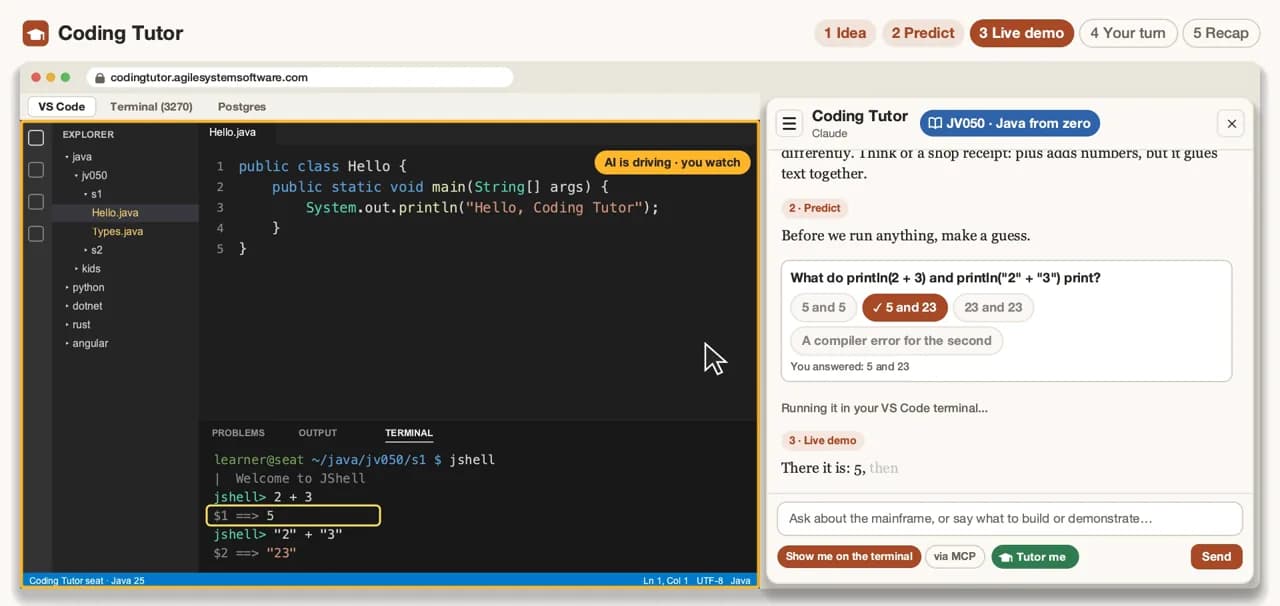
Press Tutor me and the tutor walks you through the next mini step in five beats, the way a good tutorial video does, except that you answer, you type and you decide when you are done.
The idea, in plain words
A short hook, then the idea in everyday language with an analogy. In Java, for example: plus adds numbers but glues text together, like items on a shop receipt.
Predict: click your guess
Before anything runs, the tutor asks what you think will happen and offers a few choices. You answer with a click. A wrong guess is part of the lesson.
A narrated live demo
The tutor runs a small example in your workspace and narrates what appears on screen, so you see the idea work in the real toolchain.
Your turn
You write your own version in your own file. Stuck? Ask for a hint. Hints come before answers.
Recap and a challenge
A short recap of what you just learned and a challenge to stretch it. The step is marked done only when you confirm it.
The language range
From the mainframe to Python, in one workspace
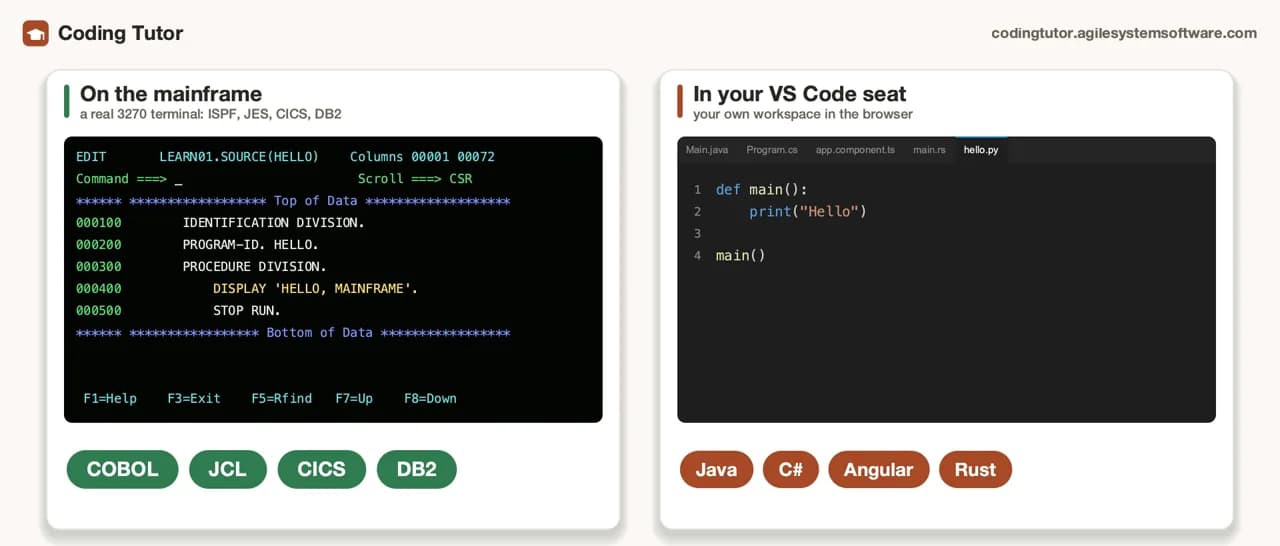
Coding Tutor opens on VS Code in your browser, with the tutor's chat beside it. When the lesson is on the mainframe, switch to the 3270 terminal tab.
In VS Code
Your own workspace with the toolchains already installed and a PostgreSQL database alongside.
- Java
- Python
- C# / .NET
- TypeScript / Angular
- Rust
- and more
On the mainframe
A real 3270 terminal, so COBOL, JCL and CICS are learned on the system they run on.
- COBOL
- JCL
- CICS
Courses and levels
Twenty Workshop courses, from kids to advanced
Java, Angular, .NET (C#), Python and Rust, each at four levels. There are also mainframe courses on the 3270 terminal for COBOL, JCL and CICS. New accounts start free with Java from zero.
- Kids ·010
- Ages 8 to 12, short playful sits with a guardian or teacher nearby.
- Beginner ·050
- From zero: no programming experience needed.
- Intermediate ·100
- The everyday toolkit of a working programmer in that language.
- Advanced ·300
- Larger projects, such as building a service.
Java
Angular
.NET (C#)
Python
Rust
Kids courses: safe, with a guardian nearby
- For ages 8 to 12, with a guardian or teacher sitting nearby. The adult sets up the account and the workspace; the child never registers anything.
- No personal details: the tutor never asks a child for a name, age, school or photo. The characters have made-up names.
- Predict questions are buttons, not open chat, and the projects are playful: a robot factory, a sticker board, a space zoo, a story machine, a rocket.
Kids courses open once the guardian-account features are live. Their full content is already published, so adults can read what a child will do.
Read the kids and guardians page →It talks, draws and adapts
A tutor that talks, draws and follows your pace
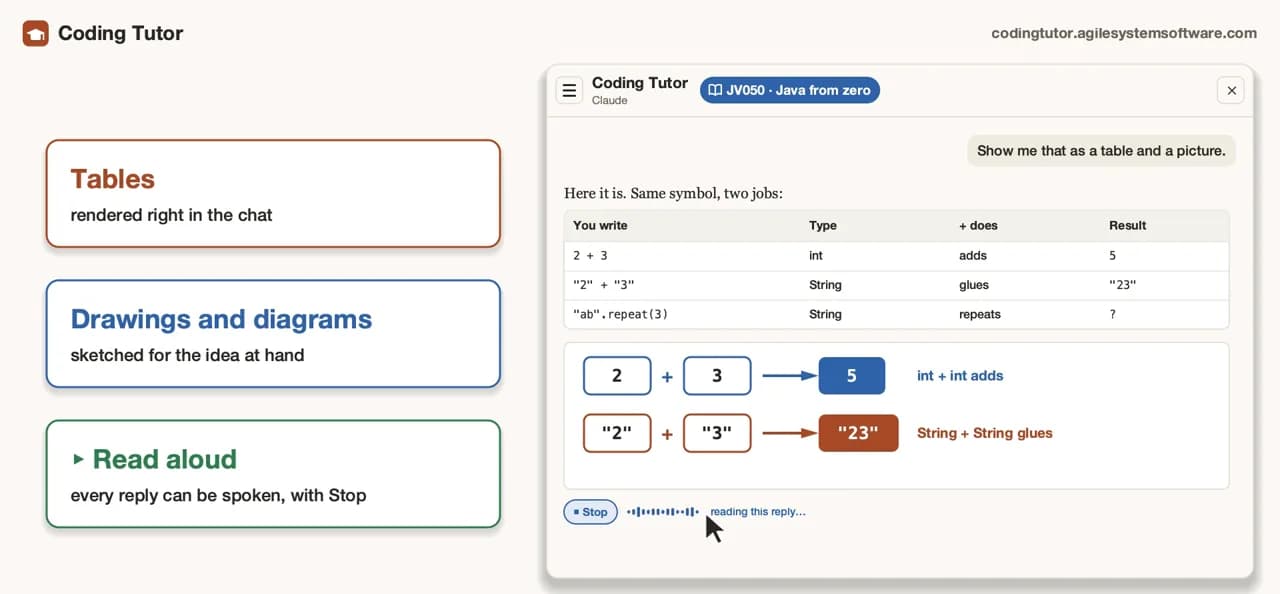
Reads replies aloud
Any reply can be read aloud, with Stop whenever you want. Handy when your eyes are on the code.
Draws tables and diagrams
When a picture explains it better, the chat renders a table or a drawing right in the conversation.
Adapts to what you know
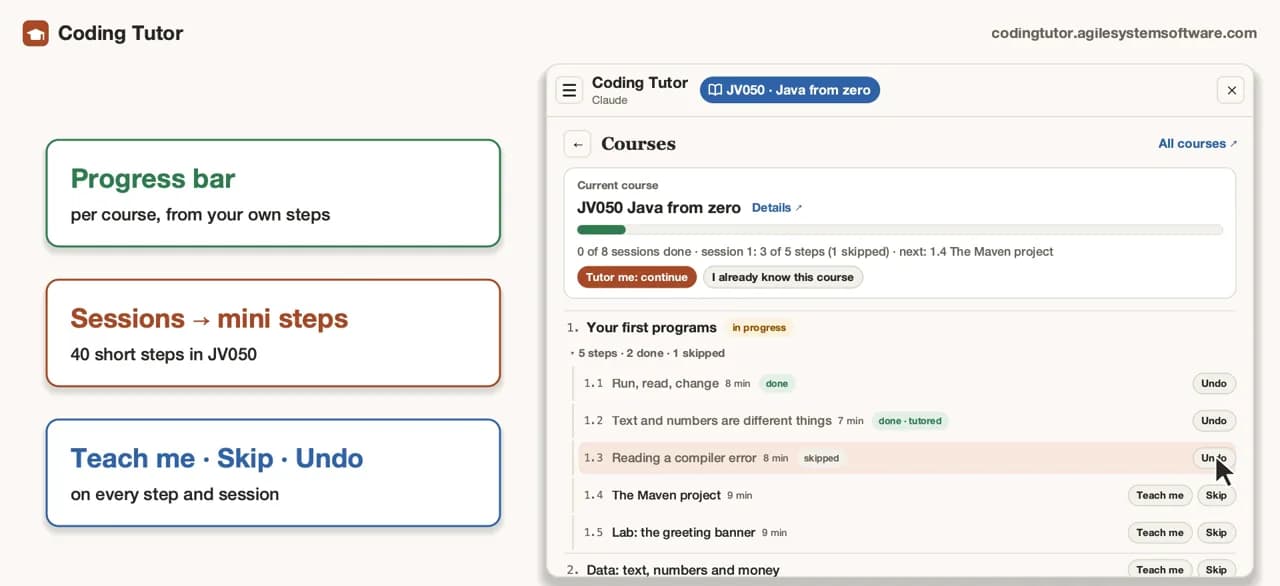
Your progress shows per session and per mini step. Teach me, Skip what you already know, or Undo a step you want back.
Ask anything, any time
Between beats, ask the tutor a question in the chat, about the lesson or about your own code.
For teams
Dedicated or on-prem, on your own address
Run Coding Tutor for your team as a dedicated instance or on your own premises, at an address such as codingtutor.yourcompany.com. A fit for onboarding new developers and for cross-training between mainframe and modern stacks.
Or write to [email protected]. We reply within one business day.
FAQ
Questions, answered plainly
What is Coding Tutor?
A coding workspace in your browser with an AI tutor beside it. It opens on VS Code with Java, Python, C#/.NET, TypeScript/Angular, Rust and more, and it has a real 3270 mainframe terminal for COBOL, JCL and CICS.
How do I start, and what is free?
Open codingtutor.agilesystemsoftware.com and create an account. New accounts start free with Java from zero (JV050).
Do I need to install anything?
No. The workspace opens in your browser, with the editor, the terminal and the toolchains already set up.
I have never programmed. Where should I begin?
Java from zero (JV050) assumes no experience. Every language also has its own from-zero beginner course.
Will the tutor just give me the answer?
It gives hints first and the answer only if you still need it. You write the code in your own file, and a step is marked done only when you confirm it.
Can my child use it?
The kids courses are for ages 8 to 12 with a guardian or teacher nearby, and the child is never asked for personal details. They open once the guardian-account features are live; their content is already published for adults to read.
Why does it include COBOL and the mainframe?
Because Coding Tutor covers the whole range, from mainframe languages to modern ones. Mainframe lessons run on a real 3270 terminal, so you learn COBOL, JCL and CICS on the kind of system they run on.
Can we run it for our team?
Yes: as a dedicated instance or on your own premises, for example at codingtutor.yourcompany.com. Write to [email protected] to talk it through.
Your first mini step is one click away
Open Coding Tutor, press Tutor me and start Java from zero, free for new accounts.